Last updated: March 2026 | Reading time: 10 minutes | For: First-time applicants, current beneficiaries, and anyone who has been declined
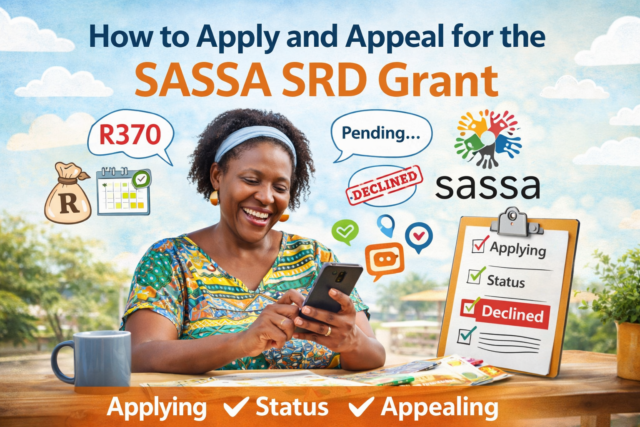
he SASSA Social Relief of Distress (SRD) grant is a monthly payment of R370 provided by the South African government to unemployed citizens who have no other source of income. It was introduced during the COVID-19 pandemic and has been extended multiple times — it is now confirmed to continue through March 2027.
For millions of South Africans, this grant is a critical lifeline while they search for work, wait for other support, or simply try to cover the cost of food and transport for the month.
This guide covers everything you need to know in one place: who qualifies, how to apply through every available channel, what every status message means, how to collect your payment, and exactly what to do if your application is declined or your appeal is pending.
Important: The official SASSA SRD portal is srd.sassa.gov.za — this is the only legitimate website for applications, status checks, banking detail updates, and appeals. Hundreds of unofficial copycat websites exist that mimic SASSA’s branding. Always verify the URL before entering your personal details.
Who Qualifies for the SASSA SRD Grant in 2026?
To qualify for the SRD grant, you must meet all of the following criteria:
- Age: You must be between 18 and 59 years old. If you are 60 or older, you may qualify for the Older Persons Grant instead.
- Citizenship: You must be a South African citizen, permanent resident, refugee, or asylum seeker with a valid Section 22 or special permit (for Zimbabwe, Lesotho, or Angola dispensations).
- Unemployment: You must be unemployed and not earning a formal income. SASSA verifies this against SARS tax records, the UIF database, and government payroll systems.
- Income threshold: Your income must be below R624 per month. SASSA’s monthly means test checks your bank account and linked financial records.
- No other SASSA grant: You cannot receive the SRD if you are already receiving a Disability Grant, Older Persons Grant, or Foster Child Grant. Exception: Child Support Grant recipients can still apply for the SRD.
- No UIF or NSFAS: If you are currently receiving UIF unemployment benefits or an NSFAS student stipend, you do not qualify. Once those payments end, you may apply.
- Valid ID and phone number: You need a valid South African ID number (green ID book or Smart ID card) and a cellphone number registered in your name.
SASSA checks your eligibility every single month using automated database cross-checks. This means you can be approved one month and declined the next if your circumstances change — or if the system detects something that looks like income, even temporarily.
Scam Alert: SASSA will never ask you for money, your bank PIN, or your OTP. Any website, WhatsApp number, or person claiming to speed up your application or unlock a blocked grant for a fee is running a scam. Report suspicious activity to the SASSA fraud hotline: 0800 60 10 11.
How to Apply for the SASSA SRD Grant in 2026
There is no need to visit a SASSA office to apply. The SRD grant can be applied for through four official channels:
Method 1: Apply Online at srd.sassa.gov.za (Recommended)
This is the fastest and most reliable method. Here is the step-by-step process:
- Go to the official SRD website: srd.sassa.gov.za
- Click on the “Apply” or “Apply Online” button
- Enter your South African ID number
- Enter your registered cellphone number and click “Send SMS” to receive a One-Time Pin (OTP)
- Enter the OTP to verify your identity
- Complete the declaration form — read it carefully before agreeing
- Enter your banking details (if you have a bank account in your own name)
- Submit your application
After submission, SASSA will verify your details against government databases. This process can take up to 30 days. You will receive an SMS once a decision has been made.
Method 2: Apply via WhatsApp
WhatsApp is a popular option for applicants with limited data or who find the website difficult to navigate.
- Save this number in your contacts: 082 046 8553 (the official SASSA WhatsApp number)
- Send a message saying “Hi” to start the conversation
- Follow the automated prompts to confirm your eligibility and submit your details
- You will need your ID number and cellphone number ready
Note: Do not save or use any other WhatsApp number claiming to be SASSA. Only 082 046 8553 is the verified official number.
Method 3: Apply via USSD (No Data Required)
If you do not have internet access or data, you can use USSD — this works on any basic phone and does not use data.
- Dial *134*7737# on your cellphone
- Follow the menu prompts to submit your application
- You will need your ID number and phone number
This is particularly useful for applicants in rural areas with limited internet connectivity.
Method 4: Apply via the Moya App
The Moya App is a zero-rated app available for Android phones. Zero-rated means you can use it even without airtime or data. Download it from the Google Play Store, then follow the SASSA SRD application prompts within the app.
No bank account? You do not need a bank account to apply for or receive the SRD grant. If you do not have a bank account, leave the banking section blank when applying. You can collect your grant in cash at Pick n Pay, Shoprite, Boxer, Checkers, or USave using your ID and phone number. Do not use someone else’s bank account — SASSA will reject payments made to accounts not in your own name.
How to Check Your SASSA SRD Status
The SRD grant is reassessed every month. You should check your status regularly — especially at the start of each new payment cycle. Here are the official ways to check:
- Online: Go to srd.sassa.gov.za, enter your ID number and cellphone number, and your current status will appear.
- WhatsApp: Message 082 046 8553 and select the status check option from the menu.
- USSD: Dial *120*3210# or *120*69277# — no data required.
- Moya App: Open the app and navigate to the SASSA status check section.
- SASSA Helpline: Call 0800 60 10 11 (toll-free). Have your ID number and phone number ready.
Once your status shows “Approved” with a payment date, wait for an SMS from SASSA before attempting to collect. The SMS confirms your specific payment date and method.
What Every SASSA Status Message Means — And What to Do
This is one of the most searched topics related to the SRD grant, and one of the most poorly explained. Below is a complete breakdown of every status message you may see, what it actually means, and the correct action to take:
| Status Message | What It Means | What To Do Next |
| Application Complete | Your application has been received. SASSA will begin the verification process. No action required yet. | Wait — check again in a few days. |
| Pending | SASSA is still verifying your ID, income, and banking details against government databases. This is the most common status and does not mean there is a problem. | Wait — no action required. If it stays pending for more than 30 days, call 0800 60 10 11. |
| Approved | Your grant is approved for that month. A payment date will appear on the status page. | Wait for the SMS confirming your pay day. Do not go to collect before receiving the SMS. |
| Declined | Your application was not approved for that month. A reason will be listed. This does not mean you are permanently disqualified. | Read the reason carefully. You can appeal within 90 days at srd.dsd.gov.za/appeals |
| Referred | SASSA has sent your application to the Department of Home Affairs for additional identity verification. This is not a rejection — most referred applications are eventually approved. | Wait for the system to update. If referred for more than 2 weeks, contact SASSA. |
| Identity Verification Failed | Your personal details do not match Home Affairs records. This may be due to a name change, outdated records, or a data entry error. | Submit an appeal with correct documentation. If your details changed recently, update them with Home Affairs first. |
| Banking Details Pending | You have not provided banking details, or the details you provided could not be verified. | Log in to srd.sassa.gov.za and update your bank account details. The account must be in your own name. |
| Reapplication Pending | Your previous application was cancelled or lapsed and you need to submit a fresh application. | Go to srd.sassa.gov.za and reapply using the same ID number and phone number. |
| Income Source Detected | SASSA’s monthly means test found an income source linked to your ID number — such as a bank deposit, UIF payment, SARS record, or NSFAS stipend. | If the detected income is incorrect or temporary, submit an appeal and explain the reason. Include bank statements if possible. |
How to Collect Your SRD Grant Payment
Once your status shows “Approved” and you have received your SMS notification, you can collect your payment. The method depends on what you selected when you applied:
| Payment Method | How It Works | What You Need |
| Bank Account (recommended) | SASSA deposits R370 directly into your personal bank account once approved. This is the fastest method. | An account in your own name. SASSA cannot pay into someone else’s account. |
| Retail Store Cash Collection | Collect your grant in cash at Pick n Pay, Shoprite, Boxer, Checkers, or USave. | Your South African ID and the cellphone number linked to your application. You will receive an OTP. |
| Postbank / SASSA Card | If you have a SASSA-linked Postbank card, funds are deposited and you can withdraw at ATMs. | Your Postbank card and PIN. |
Do not collect before receiving your SMS: The SMS from SASSA confirms your specific payment date. Going to a retailer or ATM before this date will result in a failed transaction. Wait for the SMS, then collect within the payment window for that month.
What to Do If Your SASSA SRD Application Is Declined
Being declined does not mean you are permanently disqualified. The SRD grant is assessed monthly, and you can appeal any declined month within 90 days. Here is the full picture:
Step 1: Find Out Why You Were Declined
Log in to srd.sassa.gov.za with your ID number and phone number. Your status page will show the specific reason for the decline. Understanding the reason is essential — different reasons require different responses. The table below explains every decline reason and what to do:
| Decline Reason | What It Means | What To Do |
| Income Source Detected | SASSA found income linked to your ID number — bank deposits, employment records, or government payments — exceeding R624 per month. | Appeal if the income was temporary, a once-off deposit, or belongs to a different person who used the same account. Include a bank statement. |
| Already Receiving a SASSA Grant | You are currently receiving another SASSA grant (Disability, Older Persons, Foster Child, etc.). You cannot receive two grants at once. | Exception: Child Support Grant recipients can still apply for the SRD. No appeal needed for other grants — you do not qualify. |
| UIF or NSFAS Detected | You are currently receiving UIF unemployment benefits or an NSFAS student stipend. | Once your UIF or NSFAS payments end, you can apply for the SRD if you still meet all other criteria. |
| Identity Verification Failed | Your details do not match Department of Home Affairs records. This may be caused by a recent name change, a data error, or an outdated ID. | Appeal and provide supporting documentation. If your Home Affairs records are incorrect, update them there first. |
| Government Payroll Detected | SASSA found your ID number listed on a government payroll, meaning you are employed by the state. | Appeal if this is an error — for example, if you previously worked for government but are no longer employed. |
| Age Not Within Limits | You are under 18 or 60 and over. The SRD is only for people aged 18 to 59. | If you are 60 or older, you may qualify for the Older Persons Grant instead. Contact your nearest SASSA office. |
| High-Risk Mobile Number | Your phone number has been associated with multiple applications or flagged for suspicious activity. | Update your phone number on the SRD portal and submit an appeal explaining the situation. |
| SAFPS Listing | Your ID has been flagged in the South African Fraud Prevention Service database. | Contact SASSA directly and visit your nearest office with your ID to resolve this. |
Step 2: Submit an Appeal
If you believe your application was incorrectly declined, you have the right to appeal. Here is how:
- Go to the official appeals portal: srd.dsd.gov.za/appeals
- Enter your South African ID number and the cellphone number linked to your application
- Select the specific month you are appealing
- Select the decline reason shown on your status page
- Provide your explanation and upload any supporting documents (such as bank statements)
- Submit the appeal and note your reference number
Your appeal is reviewed by the Independent Tribunal for Social Assistance Appeals (ITSAA) — an independent body, not SASSA itself. This means the review is independent of the original decision.
Important rules about appeals:
- You must submit a separate appeal for each declined month
- Appeals must be submitted within 90 days of the decline
- Appeals cannot be submitted by email or SMS — only through the official portal
- You can only submit one appeal per month
- The appeal process can take several weeks — check the portal regularly for updates
Step 3: Track Your Appeal Status
After submitting an appeal, your appeal status will appear on the appeals portal. The statuses work similarly to the main application statuses:
- Appeal Pending: The Independent Tribunal has received your appeal and is reviewing it. This is normal and can take several weeks. No action needed — check regularly.
- Appeal Approved: Your appeal was successful. SASSA will schedule a payment for the appealed month. Wait for your SMS.
- Appeal Declined: The Tribunal reviewed your appeal and confirmed the original decision. If you believe this is still incorrect, contact SASSA directly or visit your nearest office.
How to Update Your Banking Details
If your bank account changes, you must update your details on the SASSA portal before the next payment cycle — otherwise your payment will fail or be reversed.
- Go to srd.sassa.gov.za/sc19/banking-details-update
- Enter your ID number and verify with your OTP
- Enter your new banking details
- Submit and wait for confirmation
Bank account rule: The bank account you provide must be registered in your own name and match your ID number. SASSA cross-checks this automatically. If the name on the account does not match your ID, the payment will be rejected. Do not use a friend’s, family member’s, or partner’s account under any circumstances.
How to Update Your Phone Number
If you lose your SIM card or change your phone number, you will not be able to receive OTPs, which means you cannot check your status, appeal, or update your details. Here is how to fix this:
- Go to srd.sassa.gov.za and look for the “Change Phone Number” option
- You will be asked to answer identity verification questions to confirm who you are
- If you cannot verify online, visit your nearest SASSA office with your ID document
- If your number was changed without your permission (a sign of fraud), call 0800 60 10 11 immediately to freeze your profile
Do You Need to Reapply Every Month?
No. Once your initial application is approved, SASSA automatically reassesses your eligibility every month. You do not need to reapply for each new payment cycle.
The only times you need to reapply are:
- You previously cancelled your application voluntarily
- The government announces a completely new grant cycle (SASSA will communicate this officially)
- Your status shows “Reapplication Pending”
Submitting duplicate applications when you already have an active one can trigger a fraud flag and delay your payments.
Frequently Asked Questions
Can I get both the SASSA SRD grant and UIF at the same time?
No. If you are currently receiving UIF unemployment benefits, you do not qualify for the SRD grant. The two cannot be received simultaneously. Once your UIF payments end, you may apply for the SRD if you still meet all other eligibility criteria.
Can I get the SRD grant if I receive the Child Support Grant?
Yes. The Child Support Grant is the one exception to the rule that you cannot receive two SASSA grants at once. If you receive a Child Support Grant, you are still eligible to apply for the SRD grant.
How do I apply for the SASSA SRD grant via WhatsApp?
Save the official SASSA WhatsApp number — 082 046 8553 — in your contacts. Send a message saying “Hi” to begin. Follow the automated prompts to submit your application or check your status. Do not use any other number.
What does SASSA SRD ‘Referred’ status mean?
“Referred” means SASSA has sent your application to the Department of Home Affairs for additional identity verification. This is not a rejection. Most referred applications are approved once DHA confirms your details. No action is required — wait for your status to update, which typically takes one to two weeks.
Why was my SRD grant declined even though I have no income?
The most common reason is that SASSA’s automated means test detected what appears to be income linked to your ID number or bank account — even if it was a temporary deposit, a once-off payment, or money belonging to someone else who used the same account. Check your specific decline reason on the portal and submit an appeal with a bank statement showing the true nature of those transactions.
How long does a SASSA SRD appeal take?
Appeals are reviewed by the Independent Tribunal for Social Assistance Appeals (ITSAA). The process can take several weeks. There is no fixed timeline, but most appeals are resolved within 30 to 90 days. Check the appeals portal regularly for updates.
Can asylum seekers apply for the SASSA SRD grant?
Yes. Asylum seekers with a valid Section 22 permit, and holders of special permits under the Zimbabwe Exemption Permit, Lesotho Exemption Permit, or Angola Exemption Permit, may apply for the SRD grant provided they meet all other eligibility criteria, including the income threshold.
What happens if my approved payment has no payment date showing?
If your status shows “Approved” but no payment date appears, wait a few days and check again. Payment dates are assigned in batches and may take a few days to appear after approval. If no date appears after a week, contact the SASSA helpline on 0800 60 10 11.
SASSA SRD Quick Reference — Key Links and Numbers
- Apply or check status: srd.sassa.gov.za
- Submit an appeal: srd.dsd.gov.za/appeals
- Update banking details: srd.sassa.gov.za/sc19/banking-details-update
- SASSA toll-free helpline: 0800 60 10 11
- Official WhatsApp: 082 046 8553
- USSD status check: *120*3210# or *120*69277#
- USSD application: *134*7737#
- Fraud hotline: 0800 60 10 11
The SRD grant is not much — R370 a month does not go far in 2026. But for millions of South Africans, it is the difference between eating and not eating. If you qualify, you have a right to this support. Use the steps in this guide, apply through the official channels, and appeal if you are unfairly declined.
Related posts:



LEGAL CONTENT DISCLAIMER
The information contained on this website is simply aimed at providing readers with guidance on labour law in South Africa. This information has not been provided to meet the individual requirements of a specific individual. Bizcraft will always suggest that legal advice be obtained to address a person’s unique circumstances. It is important to remember that the law is constantly changing and although Bizcraft strives to keep the information up to date and of high quality, it cannot be guaranteed that the information will be updated and/or be without errors or omissions. As a result, Bizcraft will under no circumstances accept liability or be held liable, for any innocent or negligent actions or omissions which may result in any harm or liability flowing from the use of or the inability to use the information provided.